
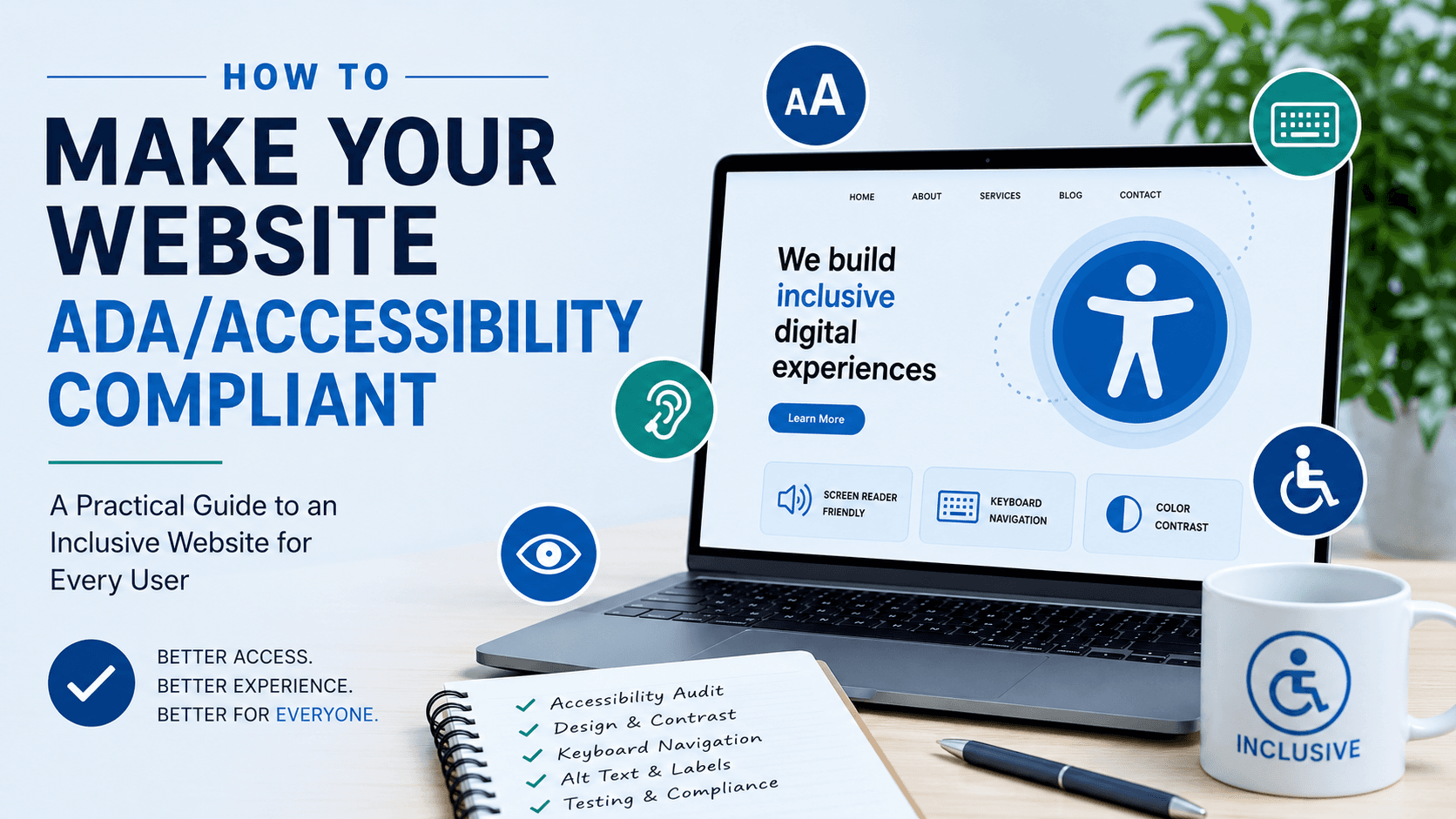
Website accessibility often gets treated as a legal checkbox, but at its core, it's about something simpler: making sure everyone who visits your site can actually use it, regardless of ability. Beyond reducing legal risk, an accessible website reaches more customers, performs better in search, and generally reflects a more thoughtfully built product overall. This blog walks through what ADA and accessibility compliance actually requires, so you can approach it as a genuine improvement rather than just a defensive move.
What ADA Website Compliance Actually Means
The Americans with Disabilities Act doesn't include website-specific technical standards directly, but courts and businesses widely reference the Web Content Accessibility Guidelines (WCAG) as the practical benchmark for compliance. In short, an accessible website should be usable by people with visual, auditory, motor, or cognitive disabilities, not just the general population.
Why Accessibility Matters Beyond Legal Risk
While avoiding legal exposure is a real factor, accessibility delivers value well beyond compliance:
- It expands your potential customer base to include people who rely on assistive technology
- Many accessibility improvements also improve usability for everyone, not just users with disabilities
- Search engines often favor well-structured, accessible sites, since many accessibility practices overlap with strong technical SEO
Treating accessibility as a genuine product improvement, not just a legal requirement, tends to produce better results overall.
Core Areas Accessibility Compliance Covers
Accessibility touches several different parts of a website, including:
- Visual accessibility - sufficient color contrast, resizable text, and content that doesn't rely on color alone to convey meaning
- Keyboard navigation - ensuring the entire site can be used without a mouse
- Screen reader compatibility - proper structure and labeling so assistive technology can accurately interpret the page
- Media accessibility - captions for video, transcripts for audio, and descriptive alt text for images
- Form accessibility - clear labels, error messages, and instructions that work with assistive technology
Common Accessibility Mistakes Businesses Make
Some of the most frequent accessibility gaps include:
- Images without meaningful alt text
- Low color contrast between text and background
- Forms that don't clearly indicate errors or required fields
- Interactive elements that only work with a mouse, not a keyboard
- Videos without captions or transcripts
Many of these issues aren't intentional oversights - they simply weren't considered during the original build, which is common with sites developed without accessibility as an explicit priority.
How Accessibility Fits Into the Development Process
The most effective way to achieve accessibility compliance is building it in from the start, rather than trying to retrofit it later. This is where thoughtful web development matters - structuring code, navigation, and content with accessibility in mind from the earliest stages, rather than treating it as a final checklist item.
For businesses with existing sites, a full accessibility audit is usually the clearest way to identify specific gaps before deciding whether targeted fixes or a broader rebuild makes more sense.
Accessibility and Custom Platforms
Businesses using custom-built systems sometimes assume accessibility is harder to achieve than with template platforms, but the opposite can be true. Custom software development allows accessibility to be built precisely into the site's structure and functionality, rather than working around the limitations of a pre-built theme that wasn't designed with accessibility as a priority.
Ongoing Maintenance, Not a One-Time Fix
Accessibility compliance isn't a single project with a finish line - new content, features, and design changes can introduce new accessibility issues over time. Businesses that treat accessibility as an ongoing practice, with regular checks as the site evolves, tend to stay compliant more consistently than those treating it as a one-time fix.
Where Automation Can Support Accessibility Efforts
Some businesses use AI automation to help flag potential accessibility issues during content updates, such as missing alt text or low contrast elements, catching problems earlier rather than discovering them during a formal audit.
Frequently Asked Questions
Is ADA website compliance legally required for all businesses?
Requirements vary depending on business size, industry, and jurisdiction, but many businesses pursue compliance both to reduce legal risk and to serve a broader range of customers.
What accessibility standard should businesses follow?
WCAG (Web Content Accessibility Guidelines) is the most widely referenced standard, commonly used as the practical benchmark for ADA-related website compliance.
Can accessibility improvements hurt my website's design?
Not when done thoughtfully. Most accessibility improvements can be integrated into a strong visual design without compromising aesthetics.
Is it better to fix accessibility issues on an existing site or start with a new build?
It depends on the scope of the issues. A full audit usually clarifies whether targeted fixes are sufficient or whether a broader rebuild would be more effective long-term.
How often should a website be checked for accessibility compliance?
Regularly, especially after major content updates or design changes, since new additions can introduce new accessibility issues even on a previously compliant site.
Ready to Make Your Website Accessible to Everyone?
Accessibility compliance protects your business while genuinely improving the experience for every visitor, not just a subset of them. At Weboraz, we build accessibility into the development process from the start, rather than treating it as an afterthought. With a hybrid US-India team spanning web development, software development, and AI automation, we help you build a website that works for everyone who visits it.
Get a free accessibility audit from Weboraz and find out exactly where your website stands.
Frequently asked questions
Requirements vary depending on business size, industry, and jurisdiction, but many businesses pursue compliance both to reduce legal risk and to serve a broader range of customers.
WCAG (Web Content Accessibility Guidelines) is the most widely referenced standard, commonly used as the practical benchmark for ADA-related website compliance.
Not when done thoughtfully. Most accessibility improvements can be integrated into a strong visual design without compromising aesthetics.
It depends on the scope of the issues. A full audit usually clarifies whether targeted fixes are sufficient or whether a broader rebuild would be more effective long-term.
Regularly, especially after major content updates or design changes, since new additions can introduce new accessibility issues even on a previously compliant site
Related Articles


Need help applying this?
Our team can turn the ideas in this article into a clear plan and a polished build.
Contact Us