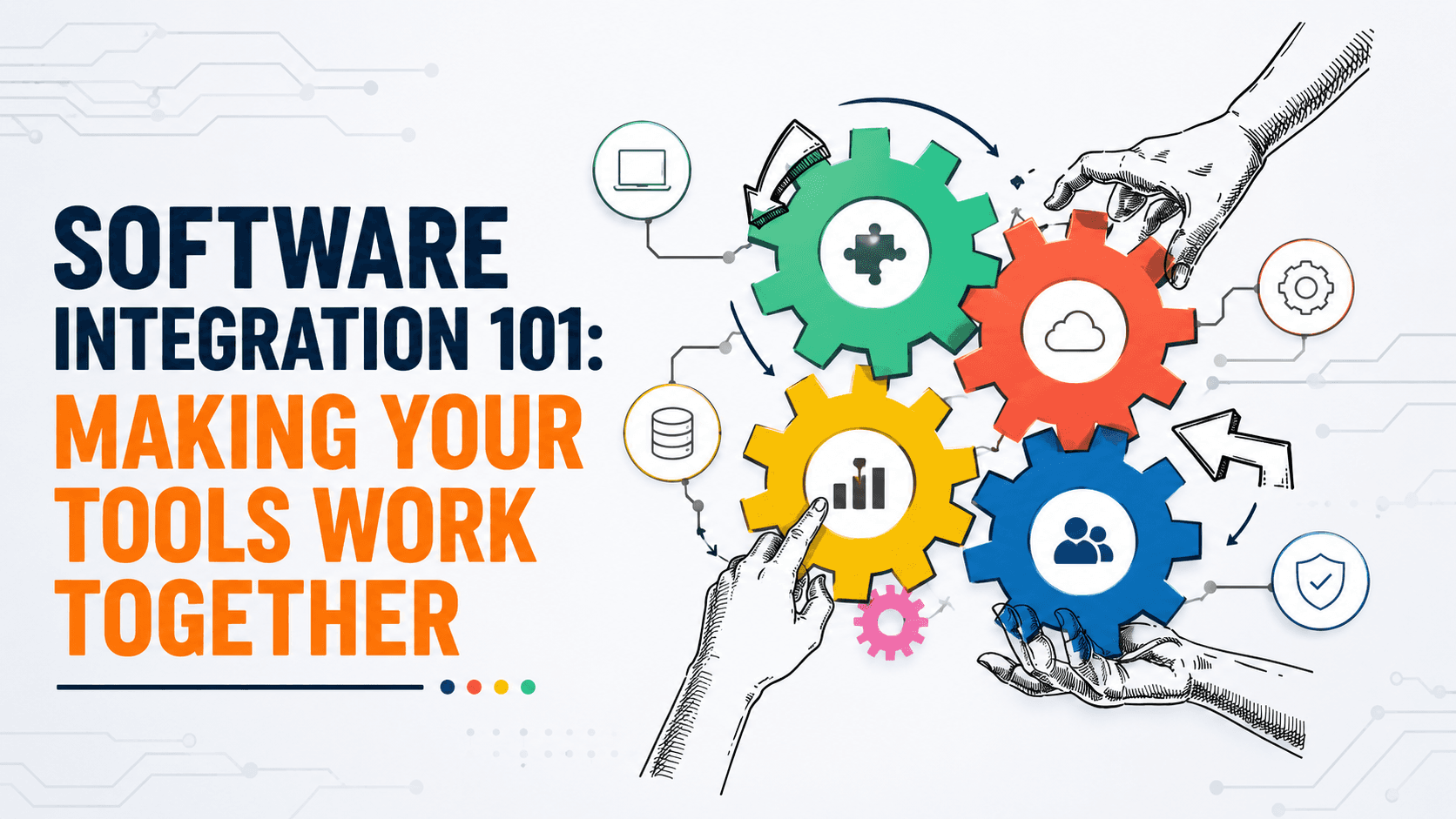
Most businesses don't run on a single piece of software - they run on a collection of tools handling different functions, from sales to accounting to customer support. The problem is that these tools often don't talk to each other by default, leaving teams to manually bridge the gaps through copy-pasting, duplicate data entry, or exporting spreadsheets back and forth. This blog breaks down what software integration actually means in plain terms, and why getting your tools to work together matters more than most businesses realize.
What Software Integration Actually Means
At its core, integration means connecting two or more software systems so they can share data and communicate automatically, without a person manually moving information between them. Instead of updating a customer's details in three separate systems, integration allows one update to flow automatically wherever it's needed.
Why Disconnected Tools Cost More Than They Seem To
When systems don't talk to each other, businesses tend to absorb the cost through:
- Time spent manually re-entering the same data across multiple systems
- Increased errors from manual data transfer and inconsistent records
- Delayed decision-making, since data is scattered rather than centralized
- Frustrated teams working around limitations instead of focusing on higher-value work
These costs often go unnoticed because they're spread out gradually, rather than showing up as one obvious expense.
Common Types of Software Integration
Integration needs vary depending on the tools involved, but common categories include:
- CRM and marketing tool integration - syncing customer and lead data automatically
- E-commerce and inventory integration - keeping stock levels accurate across sales channels
- Accounting and payment system integration - reducing manual financial reconciliation
- Support and communication tool integration - giving support teams full context without switching between systems
How Integration Actually Works, in Plain Terms
Most modern integrations rely on APIs - a structured way for two systems to communicate and exchange data automatically. Think of an API as a defined set of rules that lets one piece of software request or send information to another, without a person manually copying anything between them.
Some integrations use pre-built connections already offered by software providers, while others require custom development to connect systems that weren't originally designed to work together.
Pre-Built Integrations vs Custom Integration
Many popular tools offer built-in or marketplace integrations with other common platforms, which can work well for standard connections between well-known tools. However, these pre-built options often fall short when:
- Your tools are more specialized or less commonly used
- Your workflow requires a specific type of data sync the pre-built option doesn't support
- You need integration logic that reflects your specific business rules, not a generic default
In these cases, custom software development becomes necessary to build a connection that actually fits how your business operates.
Signs Your Business Needs Better Integration
Common signals that disconnected tools are costing your business include:
- Team members manually re-entering the same information in multiple places
- Data inconsistencies between systems that require regular manual reconciliation
- Reports that require pulling and combining data from multiple sources by hand
- New tools that get added without a clear plan for how they'll connect to existing systems
Planning Integration Thoughtfully, Not Reactively
Integration works best when it's planned deliberately, rather than added as an afterthought each time a new tool gets introduced. This is where solid software development practices matter - designing systems and connections with integration in mind from the start avoids the fragile, patchwork setups that tend to break easily over time.
Security Considerations When Connecting Systems
Integration means data moving between systems, which makes security an important part of the process, including:
- Ensuring data is transmitted securely between connected systems
- Limiting the scope of data shared to only what's genuinely necessary
- Regularly reviewing and updating integrations as security practices evolve
Where AI Automation Fits Into Integration
Once systems are properly integrated, AI automation can build on that foundation, using the now-connected data to power smarter workflows - such as automatically triggering follow-ups based on activity across multiple systems, rather than requiring someone to notice and act on it manually.
Integration Is an Ongoing Process, Not a One-Time Project
As businesses adopt new tools over time, integration needs continue evolving. Treating integration as an ongoing part of your technology strategy, rather than a single project completed once, helps avoid the gradual return of disconnected systems and manual workarounds.
Frequently Asked Questions
Do all software tools integrate with each other automatically?
No. Some tools offer pre-built integrations with popular platforms, but many require custom development to connect properly, especially for more specialized or less common tools.
What's the biggest cost of not integrating business tools?
Time spent on manual data entry and reconciliation is often the biggest hidden cost, along with the errors and delayed decision-making that come from scattered, disconnected data.
Is custom integration expensive?
It depends on the complexity of the systems involved, but the ongoing cost of manual workarounds often outweighs the investment in proper integration over time.
How do I know if my business needs better software integration?
Common signs include manual data re-entry across systems, frequent data inconsistencies, and reports that require manually combining information from multiple sources.
Can integration improve security, or does it create more risk?
When done properly, integration can actually improve data consistency and reduce manual handling errors, though it does require deliberate attention to secure data transmission between systems.
Ready to Make Your Tools Actually Work Together?
Disconnected tools quietly cost your team time and accuracy every single day, even when the problem isn't obvious at first glance. At Weboraz, we help you identify where integration would genuinely save time, then build connections that actually fit how your business operates. With a hybrid US-India team spanning software development, web development, and AI automation, we make sure your systems work as one, not as separate silos.
Get a free integration consultation from Weboraz and find out where your tools should actually be connected.